 NetLock RMM Docs
Automations
The policy-routing layer — how condition-based rules on organisation, device facts, inventory and custom fields decide which policy each device receives and which sensors and jobs it gets on top.
Automations
Automations in NetLock RMM are a narrow, purpose-built feature. They are not a workflow engine, not a job scheduler, and not an event-action pipeline. Their one and only job is to decide which policy a device receives and which sensors and jobs it gets on top of that policy. If you have used other RMM products, set aside any expectation that "automation" means trigger-driven scripts, ticket creation, or multi-step workflows — in NetLock RMM those responsibilities live elsewhere, and this chapter explains where.
5.1 What an automation is
An automation is a rule of the form:
IF all of these conditions hold for a device THEN assign policy <name> and/or add sensors and jobsA rule consists of:
- a name and an optional description;
- an enabled switch — a disabled rule is kept but never applies;
- a priority — a number; when several rules match a device, the rule with the lower number wins (see §5.3);
- a list of conditions — at least one; all of them have to hold (AND), and each condition can be negated (NOT);
- the policy the rule assigns, and/or the sensors and jobs it adds to the device on top of that policy (see §5.6). A rule needs at least one of these actions.
There is no second step and no action chain: a rule sets the device's policy and adds items to it, nothing else.
Note: A policy on its own is inert. Devices only receive configuration when a rule matches them and names a policy, or when a default policy is set. If no rule matches a device, the device receives the default policy marked on the Manage Policies page, if any; otherwise it has no policy and the Console shows
no_assigned_policy_foundon its detail view.
Automations are managed on the Manage Automations page at /automations.
5.2 Condition types
A condition compares one fact of the device with what you configure. Eleven condition types exist. The first four target an entity you pick from a list (the rule stores the entity's identity, not its display name); the next four compare the device record against values you type or choose; the last three look at the device's inventory and its custom fields (see §5.2.1).
| Condition | What you pick or type | Holds when |
|---|---|---|
Device | A specific device from the device list. | The device is that device. |
Tenant | A tenant from the tenant list. | The device belongs to that tenant. |
Location | One or more locations of one tenant. | The device belongs to that location, or to one of the selected locations. |
Group | One or more groups of one tenant. | The device belongs to that group, or to one of the selected groups. |
Internal IP-Address | The device's reported LAN IP. | The reported internal address equals the value. |
Domain | The Windows or DNS domain name. | The reported domain equals the value. A device that reports no domain never matches. |
Platform | One or more of Windows, Linux, MacOS, Android, iOS. | The device's platform is one of the selected ones. |
Device attribute | An attribute, an operator and a value. | The attribute compares as the operator says (below). |
Service | A service name or display name, an operator, a value and a status. | A service of the device's inventory has that name and that status. |
Application | An operator and a name, optionally a version comparison. | An application of that name, and version, is installed on the device. |
Custom field | A field definition, an operator and a value. | The device's effective value of the field compares as the operator says. |
Entity conditions (Device, Tenant, Location, Group) are immune to renaming. If you rename the tenant Acme to Acme Corp, every rule that targets it keeps working — the rule does not store the name. A rule may carry at most one non-negated condition per entity type (one tenant, one location, one group, one device); a negated one ("NOT group Servers") may be combined freely.
Several locations or groups in one condition. A Location or Group condition can name more than one entry — up to 500. It then reads "Group is one of: A, B, C" and holds when the device is in any of them; negated it reads "Group is none of: A, B, C" and holds when the device is in none of them. This is how one rule covers, for example, the "No print" group of each of thirty locations instead of thirty rules with the same policy. All entries of one condition have to belong to the same tenant, and they have to lie inside the tenant or location the rule names elsewhere (a group outside the rule's location could never match); the dialog and the public API refuse anything else. Such a rule belongs to that tenant: it is visible to, and changeable by, accounts with access to it, like a rule with a single group. A condition with one entry is stored exactly as before, so existing rules are not touched. Device and tenant conditions always name exactly one entry.
What happens when the picked entity is deleted is described in §5.6.
Internal IP-Address and Domain compare the device's reported value to the value you type, after both sides are trimmed of surrounding whitespace and lower-cased. For the Internal IP-Address condition, an ::ffff: IPv4-mapped IPv6 prefix is also stripped before comparison, so a device reporting ::ffff:10.0.0.5 matches a rule expecting 10.0.0.5. These two conditions are exact matches; there is no CIDR or range matching. For patterns, use a Device attribute condition.
Device attribute compares one of the following columns of the device record, as the agent reported it at its last sync: device name, operating system, label, serial number, device class (Computer or Mobile, offered as a choice), architecture, manufacturer, model, mainboard, CPU, GPU, agent version, last active user, time zone, antivirus solution. The operators are:
| Operator | Meaning |
|---|---|
equals | The attribute equals the value. |
contains | The attribute contains the value. |
starts with | The attribute begins with the value. |
matches pattern | Wildcard pattern: * stands for any run of characters, ? for exactly one (SRV-*, WS-??-BER). |
matches regex | A .NET regular expression, matched case-insensitively. A pattern that does not compile is refused when the rule is saved. |
All attribute comparisons ignore case and surrounding whitespace. A hostname pattern is therefore Device attribute → Device name → matches pattern; an operating-system version is Device attribute → Operating system → starts with.
Tip:
NOTturns a single condition around, not the whole rule.Tenant = Acme AND NOT Device name matches pattern SRV-*covers every Acme device except the servers. A negated entity condition does not narrow the rule to that entity's tenant —NOT Tenant = Acmereaches every other tenant, which matters for the tenant rule in §5.5.
5.2.1 Inventory and custom field conditions
These three types read what the agent reported in its last inventory upload and the custom field values of the device. They let a rule follow a role rather than an organisation: "every device running the SQL Server service gets the database sensors", "every device with 7-Zip below version 23 gets the update job", "every device whose site_code field is BER gets the Berlin policy".
Service. Pick whether the Name or the Display name of the service is compared, the operator (equals, contains, matches pattern), the value and the status the service has to be in: any status, running or stopped. Names are compared case-insensitively, and a Linux unit name matches with or without its .service suffix, on both sides — a rule for sshd matches the unit sshd.service and the other way round. The status is mapped per platform: Windows reports Running and Stopped; Linux reports running or active (counted as running) and dead, inactive, failed or exited (counted as stopped); macOS reports Running and Stopped. A state outside these, such as Paused or activating, is matched only by any status. The condition holds when at least one service with the name has the status.
Application. Pick the operator on the application name (equals, contains, matches pattern) and the name. Optionally add a version comparison: equals, at least, below or starts with a version you type. Versions are compared numerically on up to four dotted components — 23 is read as 23.0.0.0, so at least 23 matches 23.01 — and a version that is not numeric is compared as text.
Custom field. Pick a field definition (secret fields are not offered; a secret is never compared), the operator (equals, contains, matches regex, is empty) and, except for is empty, the value. The condition reads the device's effective value: its own value, or, for an inheritable field without one, the value of its group, location, tenant or the global value, in that order (see Chapter 8.4). is empty holds when no level provides a value.
A device that has not uploaded an inventory yet — a freshly enrolled device, a mobile device — matches no service or application condition; the rule does not apply to it until the first upload. A rule with an inventory condition is not refused for such devices, it just does not match.
5.2.2 When inventory conditions take effect
The server evaluates every rule against the device record, the last inventory upload and the custom field values it has stored; the Console's Check matching devices reads the same data. Because the inventory lives on the server, an inventory change reaches the rules without a Console click:
- After every inventory upload of a device, and after every custom field write that concerns it (on the device page, through a script, through the public API or on one of its levels), the server evaluates the rules for that device only. When the result — the policy, the sensors and the jobs — differs from what the device last received, the device is marked out of sync and pushed at once; the change lands within seconds on an online device, otherwise at its next check-in. When nothing changed, nothing happens.
- Consequently a rule on a service or an application takes effect at the device's next inventory upload, which happens at its sync interval, not at the moment the rule is saved. A rule on a custom field takes effect when a value of that field is written, or at the device's next sync.
- After the update that introduced this, the first inventory upload of every device triggers one evaluation and, when inventory or custom field rules exist, one sync for that device, so the stored state is built up. The syncs are spread over the devices' own intervals.
The devices page shows the state the device last received (see Chapter 3.3): the policy, its origin and the added sensors and jobs as the server decided them at the last evaluation. A device that has no stored state yet, while rules with inventory or custom field conditions exist, shows - with an hourglass and the tooltip Evaluated at the device's next sync; a device without such rules is evaluated live on its record as before.
5.3 How a rule is resolved
When a device syncs with the server, the server evaluates the rules and assigns the policy of the winning one:
- Only enabled rules are considered. A rule matches the device when all of its conditions hold (a negated condition holds when its comparison does not). A rule with no conditions never matches.
- The matching rules are ordered by priority (lower number first), then by the number of conditions (more conditions first), then by age (the older rule first).
- The first rule in that order that assigns a policy decides the policy. Matching rules without a policy do not stand in its way; they only contribute their sensors and jobs.
- When no matching rule assigns a policy, the device receives the default policy marked on the Manage Policies page, if any. The devices list marks such an assignment with a globe icon next to the policy name, and the device detail names it as
Default policy. Without a default policy the device has no policy. - The sensors and jobs of every matching rule are added to the device, each once — see §5.6.
The default policy never overrides a rule. Policies never layer or combine: a device runs exactly one policy at a time (see Chapter 6); sensors and jobs do add up.
5.3.1 Priority
The priority is a number on every rule; the lower number wins. When you create a rule, the dialog fills the priority in from the most specific organisation condition the rule carries and shows the value it chose:
| Most specific organisation condition | Default priority |
|---|---|
Device | 100 |
Internal IP-Address | 200 |
Domain | 300 |
Group | 400 |
Location | 500 |
Tenant | 600 |
none of these (only Platform, Device attribute) | 700 |
The default keeps the natural ladder — a rule for one device beats a rule for its group, which beats a rule for its tenant — and puts rules without an organisation condition below every organisation rule, so Platform = Linux → Linux baseline applies only where no tenant, location or group rule sets a policy. A negated organisation condition does not count for the default.
You can type any number. To make a rule win over the organisation rules — "every device running the SQL Server service pattern gets the database policy, whatever its tenant says" — give it a smaller number, for example 50. The dialog keeps recomputing the default while you change the conditions until you edit the number yourself; Reset to default returns to the computed value. The Manage Automations page lists the rules in evaluation order and the Priority column is sortable.
5.3.2 Tie-breaking
Two matching rules with the same priority are separated by their number of conditions: the rule with more conditions is the more specific one and wins. Tenant = Acme AND Platform = Windows → Acme Windows (two conditions) beats Tenant = Acme → Acme fallback (one condition) at the same priority. With the same count, the older rule (the one created first) wins. A negated condition counts like any other.
5.3.3 Practical consequences
- Specific beats general by default. The default priorities reproduce the ladder device → internal IP → domain → group → location → tenant, so a setup that only uses one condition per rule behaves exactly as the defaults suggest.
- The number is the order. There is no drag-and-drop and no "move up / move down". To promote a rule, lower its priority number; to demote it, raise it. Two rules that should be ranked explicitly get two different numbers.
- Combine instead of stacking. Where you used to need several rules to express "Acme's Linux servers", one rule with three conditions (
Tenant = Acme,Platform = Linux,Device name matches pattern SRV-*) does it, and its condition count makes it win over the plain tenant rule at the same priority. - Overlap is allowed but not merged. If two rules both match, only the first in the order applies.
- A disabled rule is invisible to the evaluation. Use the switch on the list to take a rule out without deleting it.
- No match is a valid outcome. A device that matches no rule receives the default policy if one is set; otherwise it runs without a policy.
Note: Rules that existed before this version were converted automatically: each keeps its one condition and received the default priority of its former tier (device 100, internal IP 200, domain 300, group 400, location 500, tenant 600). Because the former evaluation order equals that ladder, converted rules resolve exactly as they did before.
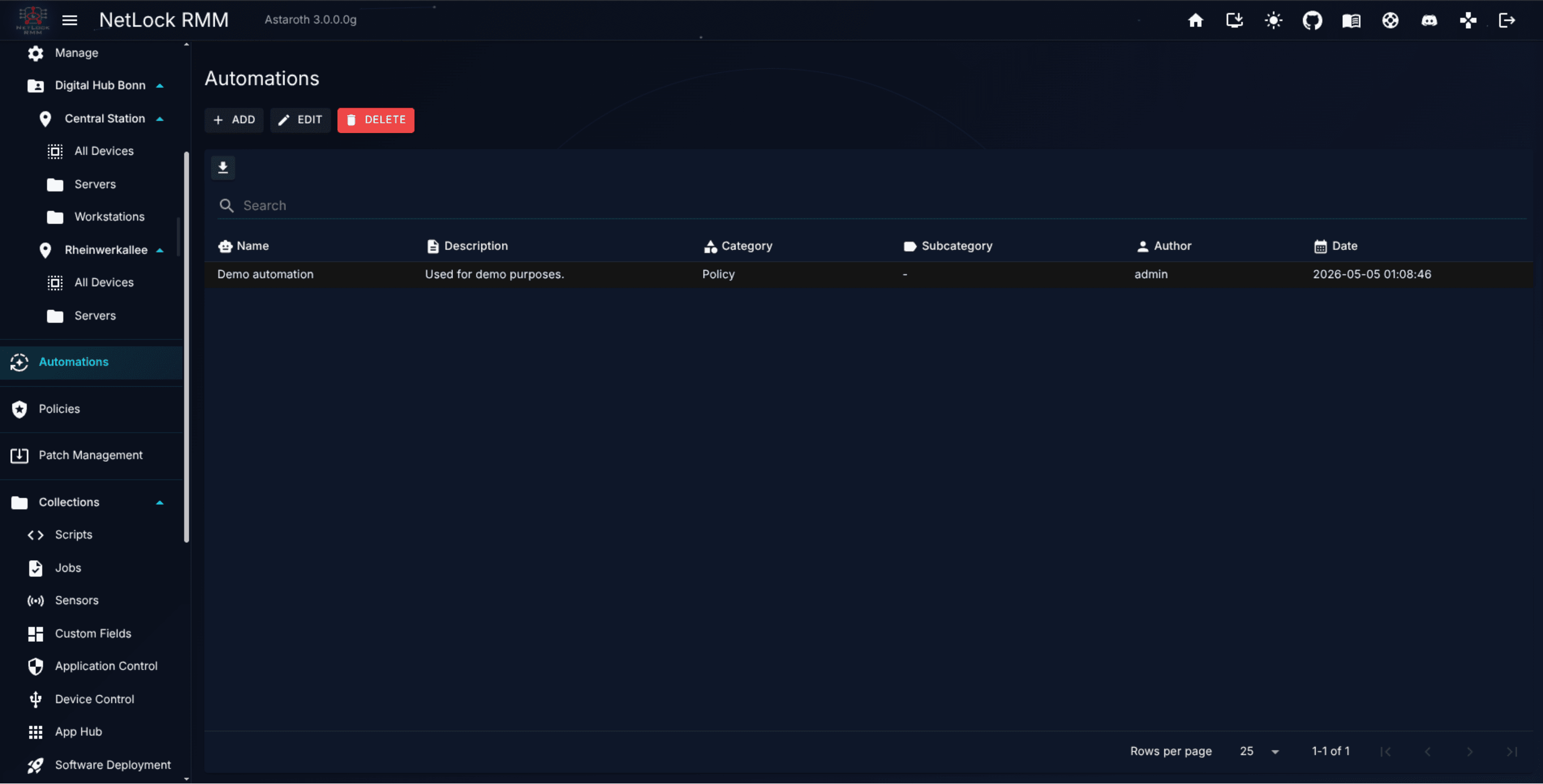
5.4 The Manage Automations page
The page at /automations lists every rule the account can see, in evaluation order:
| Column | Content |
|---|---|
Name | The rule's name. An Inactive chip marks a rule the evaluation can never apply as it is: its target entity was deleted, it has no condition left, or it neither assigns a policy nor adds a sensor or job (see §5.7). |
Enabled | A switch. Turning it off keeps the rule but takes it out of the evaluation; turning it on puts it back. Needs automation_edit. |
Priority | The number; the list is sorted by it, ascending, by default. |
If | The conditions in words, for example Tenant: Acme AND Platform: Linux AND NOT Device name matches pattern "SRV-*". Hover for the full text. |
Then | The policy the rule assigns, or No policy, and one chip per item type (+2) for the sensors and jobs it adds; the tooltip names them. |
Author, Date | Who created or last changed the rule, and when. |
| Actions | Edit, Duplicate and Delete (each behind its permission). |
Double-clicking a row opens the edit dialog. The search box matches the name, the description, the condition text, the policy name and the names of the sensors and jobs. Export data writes the list as JSON, CSV or HTML with the columns above plus the sensor and job names. Duplicate creates a copy named <name> (Copy) with the same conditions, priority, policy, sensors, jobs and enabled state.
When AI is enabled in Settings → AI/LLM, the AI Assistant button on the page explains which policy a device gets and helps plan rule sets; it works on the rules, policies, tenants and devices the account can see and does not change anything.
5.5 Creating, editing, and deleting a rule
Add and the Edit action open the same dialog:
- Name, Description, Enabled and Priority at the top. The priority shows its default and a
Reset to defaultlink once you have changed it (see §5.3.1). - If … — the list of conditions. Every line has a condition type, the inputs for that type (a picker for entity conditions — for locations and groups a selection dialog, see below —, a text field for the address and the domain, a multi-select for platforms, attribute + operator + value for attribute conditions), a
NOTcheckbox and a remove button.Add conditionappends a line. All conditions must hold; the dialog says so above the list. Problems — a missing target, an empty value, two non-negated conditions of the same entity type, entries of different tenants in one condition, a regular expression that does not compile — are shown under the line, and the rule cannot be saved while one exists. - Selecting locations and groups. The value field of a
LocationorGroupline opens a selection dialog: a searchable list (name, tenant, location) with a checkbox per entry,Select all shown, and for groups a location filter withSelect all groups of this location. Once an entry is selected the list shows only the entries of its tenant. The line then shows the selection (3 groups selected) and one chip per entry, which removes it with its close button. The list page names up to three entries of such a condition plus+n; the tooltip, the search and the export carry all of them. - Then … — the policy to assign, or
Do not assign a policy; below it, for an account with the sensors or jobs permission of Collections, a multi-select of sensors and a multi-select of jobs the rule adds (name and platform). A rule needs at least one of the three. The dialog notes that items reach only devices with a policy, flags a job of platformSystem(handed out, never executed), and warns when a selected item runs on a platform the rule's platform condition excludes. See §5.6. - Check matching devices evaluates the conditions right now against the authorized devices within your tenants and lists the matches. For service, application and custom field conditions it reads the stored inventory and custom field values of every candidate on the click. It answers "does this rule match the device", not "would it win against the other rules" — the priority and the other rules decide that at sync time.
- AI Assistant (when AI is enabled) proposes a rule from a natural-language description and fills the dialog with
Apply Config. It only writes into the dialog's fields; you still review and save.
Tenant rule. Every tenant, location, group or device a condition names has to lie in your tenants. A rule without any tenant, location, group or device condition — only platform, attribute, address or domain conditions — reaches every tenant; only an account with access to every tenant can create, change, duplicate, enable or disable such a rule. Other accounts see it in the list and can open it read-only.
Delete removes the rule and its item assignments after a confirmation. The devices it covered fall back to whatever other rule matches them, or to the default policy, or to no policy, and lose the sensors and jobs only this rule added.
Note: Adding, editing, enabling, disabling, duplicating or deleting a rule marks every device out of sync and pushes a force-sync to the online devices the rule can affect. Devices do not wait for their next scheduled poll to re-evaluate their policy assignment — the change lands right away.
Note: Deleting a policy from the Policy Settings editor deletes every automation that only assigns it; an automation that also adds sensors or jobs keeps them and continues without a policy. The Delete Policy dialog shows both numbers before you confirm (see Chapter 6.3 and §5.7).
5.6 Sensors and jobs through automations
Besides — or instead of — a policy, a rule can add sensors and jobs from the Collections library to every device it matches. This is how one sensor reaches "all Linux servers of every tenant" or "every device running the SQL Server service pattern" without touching the policies of those devices.
- Additive. The sensors and jobs of every matching rule are added, in evaluation order, each item once. They come on top of the sensors and jobs of the device's policy; an item that is both in the policy and in a rule runs once. Disabling or deleting a rule removes what only that rule added at the device's next sync; an item the policy also carries stays.
- Only with a policy. Items are handed out only to a device that has a policy — from a rule or from the default policy. A device without a policy receives nothing, because the agent runs no sensors and jobs without a policy; the device detail says so when rules would add items to such a device.
- Platform. A sensor is handed out only to devices of its platform; a job to devices of its platform or, for platform
System, to every device — such a job is handed out but never executed. The dialog warns when a selected item can never reach a device because of the rule's platform condition. - Discovery sensors. Sensors the SNMP discovery manages are not offered; they belong to their discovery.
- Permissions. The sensor picker appears with
collections_enabledandcollections_sensors_enabled, the job picker withcollections_jobs_enabled. An account without the permission sees neither, and saving the rule leaves the stored items of that type untouched. - Where it shows. The
Thencolumn on/automationscounts the items (+2) and names them in the tooltip. On/devicesa+Nchip next to the policy counts the items the server hands out to the device, and the detail view lists them underAssigned policywith the rule each one comes from (see Chapter 3.3).
Tip: A rule that only adds items needs no priority thought of its own: its number does not compete with the policy rules, because only rules that assign a policy take part in the policy decision. Leave it at the proposed value.
5.7 When something a rule uses is deleted
Rules follow the organisation and the library. When a tenant, location, group or device is deleted — in the Console, through the public API, or by the server's deferred tenant deletion — every rule that names it is adjusted:
- The condition naming the deleted entity is removed from the rule. A
LocationorGroupcondition that names several entries only loses the deleted one and the rule stays enabled: the list gets shorter, so the rule reaches fewer devices, never more. When only one entry is left the condition is stored in its single-entry form again; when the last entry goes, the condition is removed as described below. - A negated condition is simply dropped: the devices it excluded are gone, so the rule means the same without it and stays enabled.
- A non-negated condition was what narrowed the rule to that entity. Without it the remaining conditions would reach devices the rule was never meant for —
Tenant = Acme AND Platform = Linuxwould turn intoPlatform = Linuxfor every tenant — so the rule is disabled as well and stays off until you have looked at it. A rule with no condition left is disabled too. - The affected devices are brought back in sync.
A rule that lost its only condition, or whose target no longer resolves, shows the Inactive chip on the list. Open it, give it the conditions it should have now, and enable it again.
When a sensor or a job is deleted, it is removed from every rule that adds it; a rule left with neither a policy nor an item is switched off and shows the Inactive chip. When a policy is deleted, the rules that only assign it are deleted with it, while the rules that also add sensors or jobs keep those and continue without a policy; the Delete Policy dialog shows both numbers before you confirm.
5.8 What Automations explicitly cannot do
If you are coming from another RMM, the following list is important. None of these are supported by the Automations feature:
- No event triggers. You cannot configure "when a disk fills up, run this".
- No schedule triggers. You cannot configure "every Sunday at 02:00, do X".
- No webhook or API triggers. External systems cannot kick off an automation (the public API can create and change rules, see X.9.5, but a rule still only assigns a policy and adds sensors or jobs).
- No manual triggers. There is no "Run now" button on a rule.
- No script action. Automations never execute a script themselves. They can add a scheduled job to a device, which the agent then runs on the job's own schedule.
- No notification action. Automations never send an email, Teams message, Telegram message, or webhook.
- No ticket action. Automations never open a ticket.
- No chained steps and no OR between conditions. One rule has one list of conditions that all have to hold and one set of actions — the policy and/or the items. Two alternatives are two rules. The only "or" is inside a
LocationorGroupcondition that names several entries (§5.2). - No conditions on live state. A rule can look at the last inventory upload and at custom field values (§5.2.1), not at the online state, a running process, the current load or the time of day.
- No execution log. There is no per-automation history view. Policy changes that result from rule evaluation are recorded in general Events (see Chapter 12) and reflected in the device detail panel's
Assigned policyfield; changes to the rules themselves are in the Audit log.
5.9 Where event-driven and scheduled work actually lives
Because Automations only route policies, every other "when X happens, do Y" pattern is served by a different feature. The three you will reach for most often:
- Sensors (see Chapter 8.3) are the right tool when you want the agent to watch a metric and react. A sensor samples its category on a schedule, raises a notification when the notification threshold is crossed, and runs an action script when the action threshold is crossed. This is how you express "when CPU exceeds 90% for five samples, run a cleanup script".
- Jobs (see Chapter 8.2) are the right tool when you want a script to run on a device on a timetable. A job picks a script and assigns it one of the twelve supported schedules (boot, one-shot date, recurring interval, recurring on specific weekdays, and so on). This is how you express "every Friday at 18:00, rotate the backup script".
- Patch Management handles the "install approved patches on a schedule" case without any automation glue — see Chapter 7 for the approval queue and Chapter 6.12 for the per-policy rollout rules.
Automations compose none of these. They do not call a sensor, run a job, or trigger a deployment. They decide the policy a device runs under — which in turn can include jobs, sensors, and patch rules — and can add further sensors and jobs from the library on top; what those sensors and jobs do is defined in Collections, not in the rule.
5.10 Worked example — a three-tenant MSP
Consider an MSP managing three tenants, each with a small office and a mix of workstations and servers. A reasonable, minimal rule set, shown with the priorities the dialog assigns by default:
| Priority | Conditions | Policy |
|---|---|---|
| 100 | Device = ACME-DC01 | Acme Domain Controller |
| 400 | Group = Acme / Berlin / Servers | Acme Server Baseline |
| 400 | Group = Acme / Berlin / Workstations | Acme Workstation Baseline |
| 400 | Group = Globex / HQ / Servers | Globex Server Baseline |
| 400 | Group = Globex / HQ / Workstations | Globex Workstation Baseline |
| 400 | Group = Initech / Remote / Laptops | Initech Laptop Baseline |
| 600 | Tenant = Acme AND Platform = Linux | Acme Linux Baseline |
| 600 | Tenant = Acme | Acme Fallback |
| 600 | Tenant = Globex | Globex Fallback |
| 600 | Tenant = Initech | Initech Fallback |
How this resolves in practice:
ACME-DC01syncs. The device rule (100) and the Acme tenant rule (600) both match; the lower number wins and the device receivesAcme Domain Controller.- A new workstation joins
Acme / Berlin / Workstations. The group rule (400) and the tenant rule (600) match; the group rule wins and the device receivesAcme Workstation Baseline. - A Linux box lands in tenant
Acmein a group without a rule. Two rules at 600 match:Tenant = Acme AND Platform = Linuxhas two conditions,Tenant = Acmehas one, so the Linux rule wins and the device receivesAcme Linux Baseline. A Windows box in the same situation receivesAcme Fallback. - A device outside all three tenants. No rule matches. Unless a default policy is set on the Manage Policies page, the device receives no policy and the Console shows
no_assigned_policy_found. Adding a tenant rule, or a default policy, is the fix.
Tip: Keep the tenant fallback rules explicit. A tenant-level catchall is far easier to debug than a setup where some devices silently get no policy because no rule happened to match, and it makes the ladder (group 400 → tenant 600) visible in the list. The default policy on the Manage Policies page is the alternative catchall: it needs no rule, sits below every automation, and the devices list marks the devices that got their policy from it.
Tip: To pull one role out of the organisation ladder — "every device whose name starts with
SQL-runs the database policy, in every tenant" — createDevice name matches pattern SQL-*→Database Serversand give it a priority below 400, for example50. Left at its default of 700 it would only apply to devices no organisation rule covers. If those servers should keep their organisation policy and only get a database sensor on top, create the same rule withDo not assign a policyand the sensor instead; the priority then does not matter.
5.11 Editing a policy versus editing an automation
Two distinct edit points, two distinct outcomes:
- Editing a policy changes what every device already assigned to it will receive at next sync. The set of devices is unchanged.
- Editing an automation changes the set of devices a policy is routed to, or the sensors and jobs added to them. Every affected device re-evaluates its assignment immediately.
You will rarely need to touch automations once the routing is stable. Day-to-day configuration changes happen inside the policies themselves (Chapter 6).
Permissions
Automations are gated by the following flags (see Chapter 14 and the Permission reference appendix):
automation_enabled— master flag. A user without this flag does not see theAutomationsnavigation entry and cannot reach/automations.automation_add— ability to create a new automation and to duplicate one.automation_edit— ability to edit an existing automation and to switch it on or off.automation_delete— ability to delete an automation.
A user with automation_enabled but neither _add, _edit, nor _delete has read-only access — they can inspect the ruleset without changing routing. On top of these flags, the tenant rule of §5.5 applies: rules are visible and editable within the account's tenants, and rules without an organisation condition can only be changed by an account with access to every tenant. The sensor and job pickers of the dialog need the Collections permissions collections_sensors_enabled and collections_jobs_enabled (see §5.6).
Related chapters
- Core Concepts — the
conditions → policymodel in the wider vocabulary. - Chapter 4 — Tenants, Locations & Groups — the entities most automations match against.
- Chapter 6 — Policies — what the target policy actually controls.
- Chapter 8 — Collections — Sensors and Jobs, where event-driven and scheduled work live and where the items a rule adds are defined.
- Chapter 12 — Events & Audit — where policy changes resulting from automation evaluation are recorded.
- X.9 — Public API — creating and changing rules from outside.