 NetLock RMM Docs
Globalisation
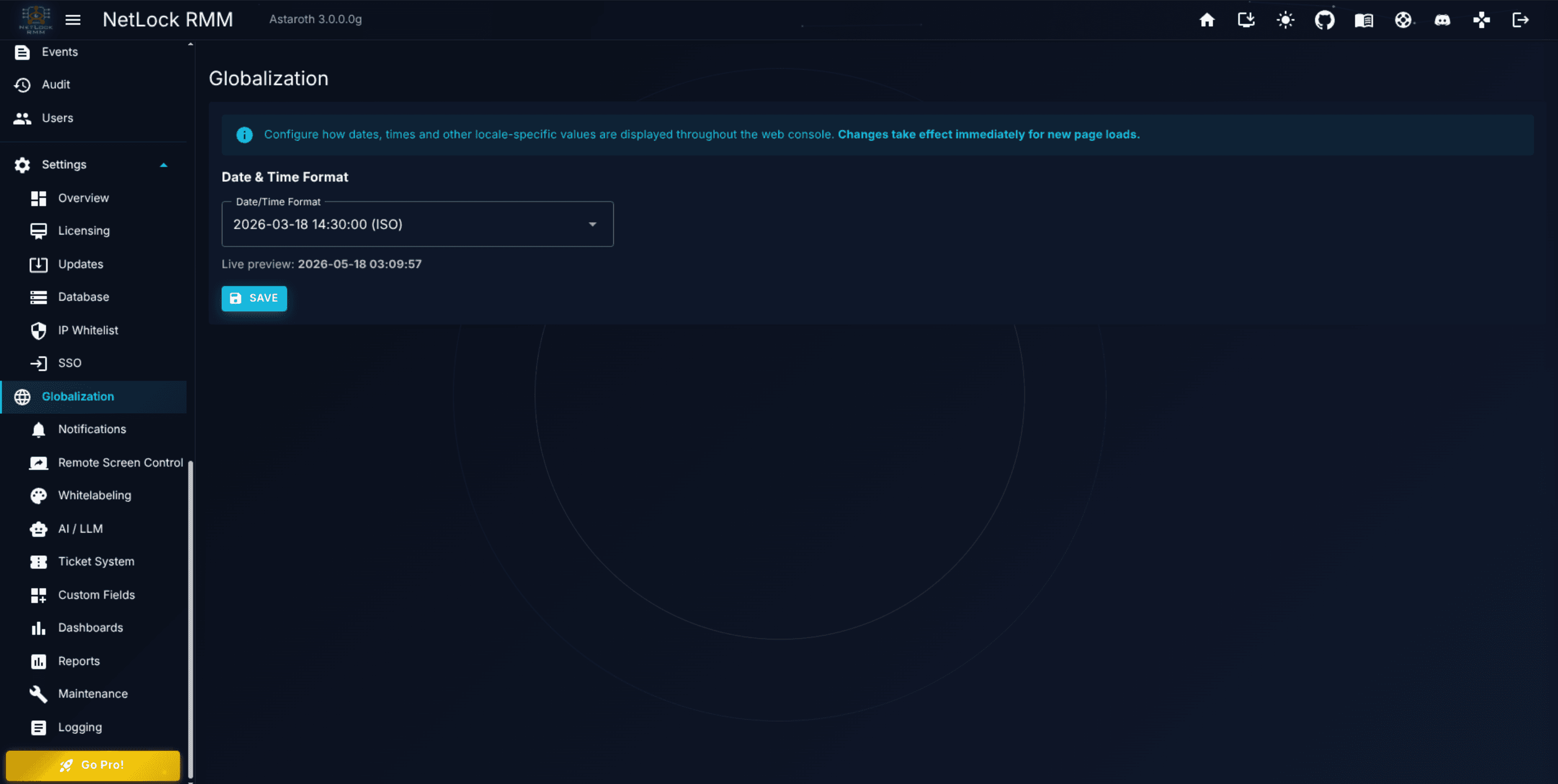
Date and time format selection. The page is intentionally narrow — no language, timezone, or number-format controls in the current release.
Globalisation
Settings → Globalisation at /settings/globalization configures how NetLock RMM formats dates and times across the Console. In the current release that is the only thing the page does — there is no language selector, no timezone selector, no number-format picker, and no first-day-of-week option. If you came here looking for one of those, skim this short chapter to confirm, then stop hunting.
A.5.1 The one field you can set
Date/Time Format is a dropdown with seven presets. A live preview renders directly beneath the dropdown, updating as you change the selection, so you can see the chosen format applied to the current date and time before saving.
| Preset label | Example |
|---|---|
| ISO | 2026-03-18 14:30:00 |
| EU | 18.03.2026 14:30:00 |
| UK | 18/03/2026 14:30:00 |
| US | 03/18/2026 02:30:00 PM |
| Textual month | 18 Mar 2026 14:30:00 |
| Slash ISO | 2026/03/18 14:30:00 |
| Dashed day-first | 18-03-2026 14:30:00 |
Pick the preset that matches your team's convention and click Save. The change is applied Console-wide immediately; a browser refresh is not required.
The selection is deployment-wide. There is no per-user date-format override and no per-tenant override, so choose a format your entire admin team is comfortable reading.
A.5.2 What this page does not configure
To save readers hunting for controls that are not here in the current release, the following are not configurable on this page:
- Language / UI locale. The Console's UI strings are not switchable from this page. Content displayed in the Console uses the language the build ships with.
- Timezone. Timestamps are presented in the Console host's local time. If your Console host is on UTC, timestamps are in UTC; if it is on a regional timezone, timestamps are in that zone. There is no override in this page.
- Number format. The Console uses the application's default numeric formatting; there is no thousands-separator or decimal-separator selector.
- First day of the week. Week-start conventions are not configurable.
- Currency. Currency formatting for reports and invoicing is not configured here.
If a deployment requires tighter control over any of these areas, that requirement is not met by the current release of the Console.
Permissions
| Capability | Required flags |
|---|---|
View and change Settings → Globalisation | settings_enabled, settings_globalization_enabled |
Related chapters
- Chapter A.2.2 — Maintenance. Scheduled maintenance windows are evaluated in server local time; the format chosen here only affects display.
- Chapter 12 — Events & Audit. Event timestamps are rendered using the format selected on this page.
Security: IP whitelist, rate limiting & SSO
The Security page of the Console: IP allowlisting for the Console, country restrictions for the Console and the server, rate limiting (request limits and temporary blocks for agent traffic on the server), and OpenID Connect single sign-on with Azure AD, Keycloak, Google, Okta, and Auth0.
Whitelabeling & themes
Deployment-wide brand assets, a 40-field light-and-dark colour palette, theme import and export, and the Community Themes browser.